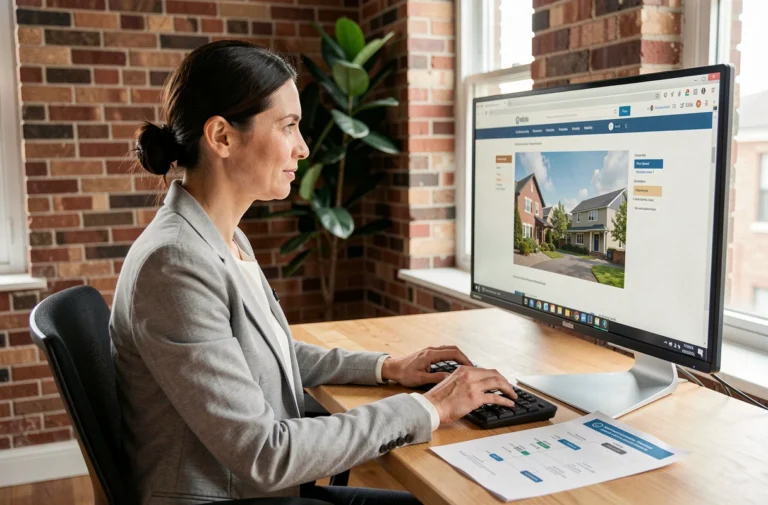
A developer pushing code from his kitchen at 8 AM, a communication officer juggling video conferences from an improvised office in the guest room: regular remote work concerns a growing share of employees in France. Working remotely is not just about moving a laptop outside the company’s premises. The challenge lies in the workstation, time management, and the quality of exchanges with the team.
Home workstation: what really changes the fatigue at the end of the day
The physical impact of poor setup is often underestimated. Working on a sofa or a coffee table for a few weeks is enough to cause neck pain, lower back tension, and increased eye strain. The home office deserves as much attention as the one in the company’s premises.
The first concrete reflex: adjust the screen height to eye level. A screen stand or a simple stack of books under the monitor corrects neck posture. If working on a laptop, an external keyboard and mouse allow for separating the screen from the hands, which radically changes back positioning.
Lighting also plays a role that classic guides often overlook. A screen facing a window creates glare, while a screen with its back to the window dazzles during video conferences. The lateral position relative to the source of natural light remains the most comfortable for a full day. For those who want to find resources on OK Formation, these ergonomic aspects are detailed among other operational tips.

Time management in remote work: structure without rigidity
The most frequent difficulty in remote work is not procrastination. It’s the opposite: not being able to disconnect at the end of the day. Without the physical signal of the return journey, it’s easy to slip into long days. Insee notes that remote workers have more autonomy but receive less support from their colleagues and hierarchy, which can blur time references.
A method that works on the ground: set a closing time for the workstation and treat it as a non-negotiable appointment. Shut down the computer, tidy up the desk (even if temporary), and change rooms. This cutting ritual replaces the home-office commute.
Breaking the day into task blocks
Grouping meetings into a half-day frees up long concentration periods for tasks that require thought. Systematically alternating between video conferencing and deep work exhausts attention capacity.
- Morning block: production tasks (writing, development, analysis) when concentration is at its peak, without Slack notifications or open messaging.
- Early afternoon block: team meetings, check-ins with the manager, synchronous exchanges grouped into a defined time slot.
- Late afternoon block: processing messages, administrative tasks, preparing for the next day, then closing the workstation.
This segmentation is not rigid. It varies according to the constraints of each profession, but the principle of grouping synchronous exchanges remains valid in most hybrid configurations.
Team communication at a distance: avoiding the trap of productive silence
Working remotely makes invisible what is naturally visible in an open space: project progress, a technical blockage, a temporary overload. The risk is that everyone moves ahead in their corner thinking they are doing well, without signaling obstacles.
Proactive communication does not mean multiplying messages. It consists of making your work visible without waiting for someone to ask. A short message at the beginning of the day on Slack or the company tool (“today I am working on X, I am stuck on Y”) is enough to maintain coordination.
Remote meetings: shorter, more frequent
A 15-minute video conference three times a week produces better results than a one-hour weekly meeting. The fatigue associated with remote meetings (often referred to as “Zoom fatigue”) comes from both the duration and the format: remaining still in front of a screen while scrutinizing thumbnails requires more cognitive effort than a conversation in a room.
Turning off the camera when not speaking, using chat for short questions, sharing a written summary after each point: these practices reduce the burden without sacrificing team cohesion.

Remote work from an unusual location: what the company agreement doesn’t always say
Working remotely from a second home or vacation spot seems trivial. In practice, the remote work location depends on the collective agreement or the company’s charter. If these texts do not specify the authorized locations, it is better to obtain explicit agreement from the employer before changing the connection point.
The question becomes more complicated abroad. Beyond the time zone difference, working from another country can raise issues of data security and the conditions of employment contract execution. A public Wi-Fi connection in a coworking space abroad does not offer the same level of protection as a home network configured with a corporate VPN.
- Check in the remote work agreement if the location is restricted to the declared home or expanded to other addresses.
- Notify the manager and HR department before any change of location, even temporary.
- Ensure that the internet connection at the new location guarantees sufficient bandwidth for video conferencing tools and remote access.
The line between flexibility and legal risk is thin, and it varies according to the agreements specific to each company. No universal rule can be given on this point: the answer lies in the internal texts.
Remote work works when the physical environment, time frame, and communication are treated as subjects in their own right, not as details that adjust themselves. A well-adjusted workstation, protected concentration periods, and short but regular exchanges form the concrete foundation of a sustainable remote practice.